Most people think LinkedIn outreach is about volume. Add more connections. Send more messages. Push harder.
That’s wrong.
The real game is balance, staying safe, reaching scale, and not looking like a spammer. Account safety is crucial, as violating LinkedIn's rules can lead to account restrictions or even a ban.
HeyReach is one of the tools people argue about. Some say it’s smooth and safe. Others say it feels limited or risky.
However, HeyReach automates activities—like bulk messaging and automated connection requests—that directly violate LinkedIn's Terms of Service, putting user accounts at significant risk. Using HeyReach can lead to account restrictions, flagging, or even a ban, as LinkedIn actively monitors for automation that goes against its policies.
So we cut through the noise.
We studied 100+ real HeyReach reviews from paid users on Reddit and G2. Not polished testimonials.
HeyReach G2 reviews
Real experiences, the good, the bad, and the ugly.
By the end of this review, you’ll know:
What users actually like about HeyReach.
The biggest complaints that keep showing up.
How different teams are using it in practice.
And whether HeyReach is really worth the $79–$1,999/month price tag.
If you’re looking for an honest HeyReach review in 2025, this article saves you hours of guesswork.
TL;DR – HeyReach Review
HeyReach is a LinkedIn automation tool. Users like the easy setup, multiple account support, and strong integrations.
Key features include automated connection requests, bulk messaging, and multi-account management.
Common complaints include action limits, lower acceptance rates, and the risk of looking spammy if misused. HeyReach's core functionalities, such as automated connection requests and bulk messaging, violate LinkedIn's Terms of Service, and the risk of account restrictions remains substantial.
Pricing starts at $79/sender/month and goes up to $1,999/month for unlimited accounts.
What is Heyreach LinkedIn Automation Tool?
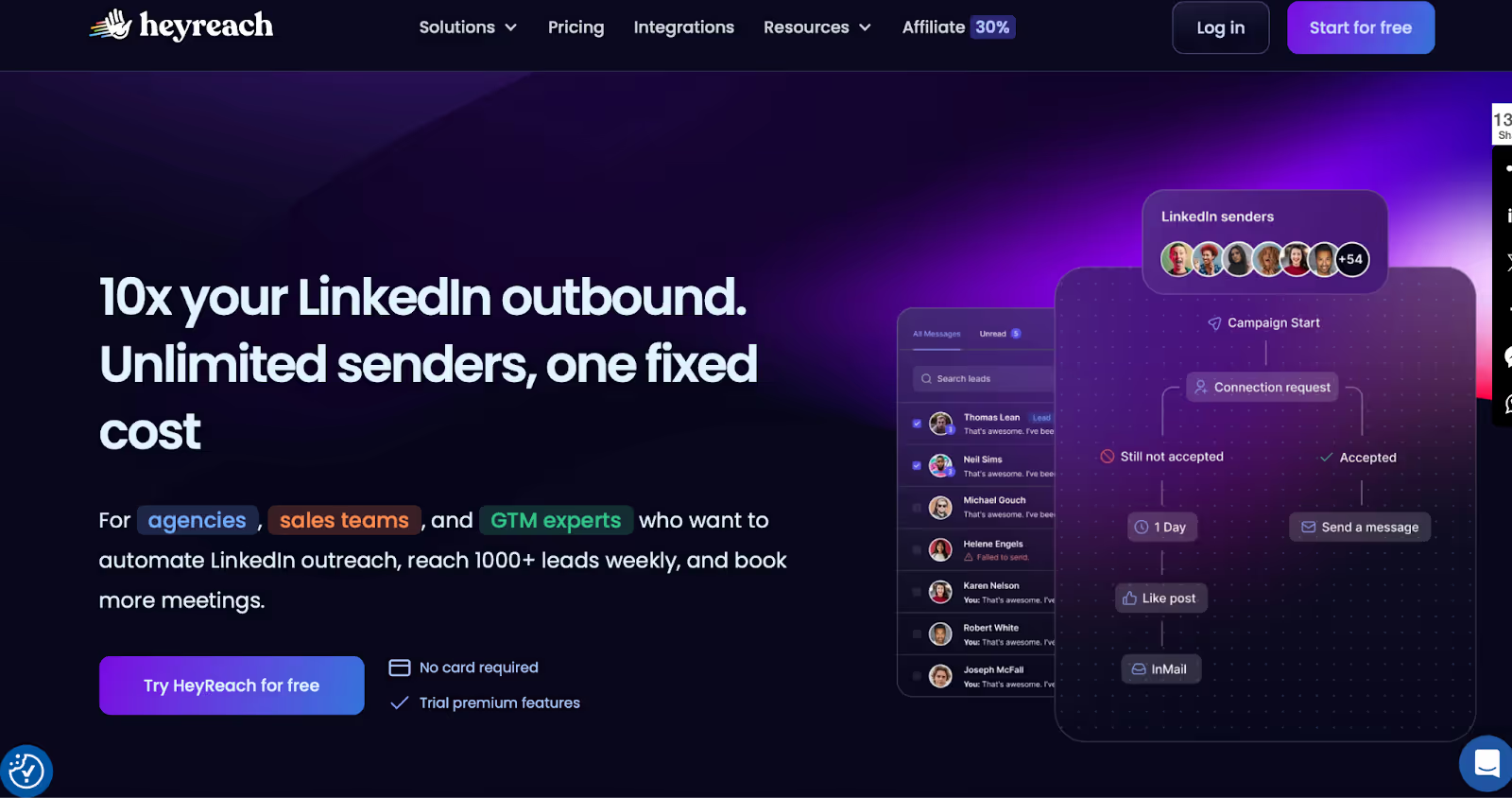
HeyReach Homepage
HeyReach is an outreach automation tool and one of the leading LinkedIn outreach tools designed specifically for LinkedIn lead generation. It helps you send connection requests, messages, and follow-ups without clicking everything yourself.
HeyReach enables you to manage multiple accounts and LinkedIn profiles in one campaign, supporting account rotation to safely scale outreach efforts. Its multi account management features, including support for multiple client accounts and client accounts, make it especially suitable for agencies handling several clients.
The platform also offers a Master View feature, providing a unified dashboard for managing all workspaces and accounts in one place.
It sits in the cold outreach market as the “LinkedIn-first” option. Other tools push email. HeyReach doubles down on LinkedIn safety and scale.
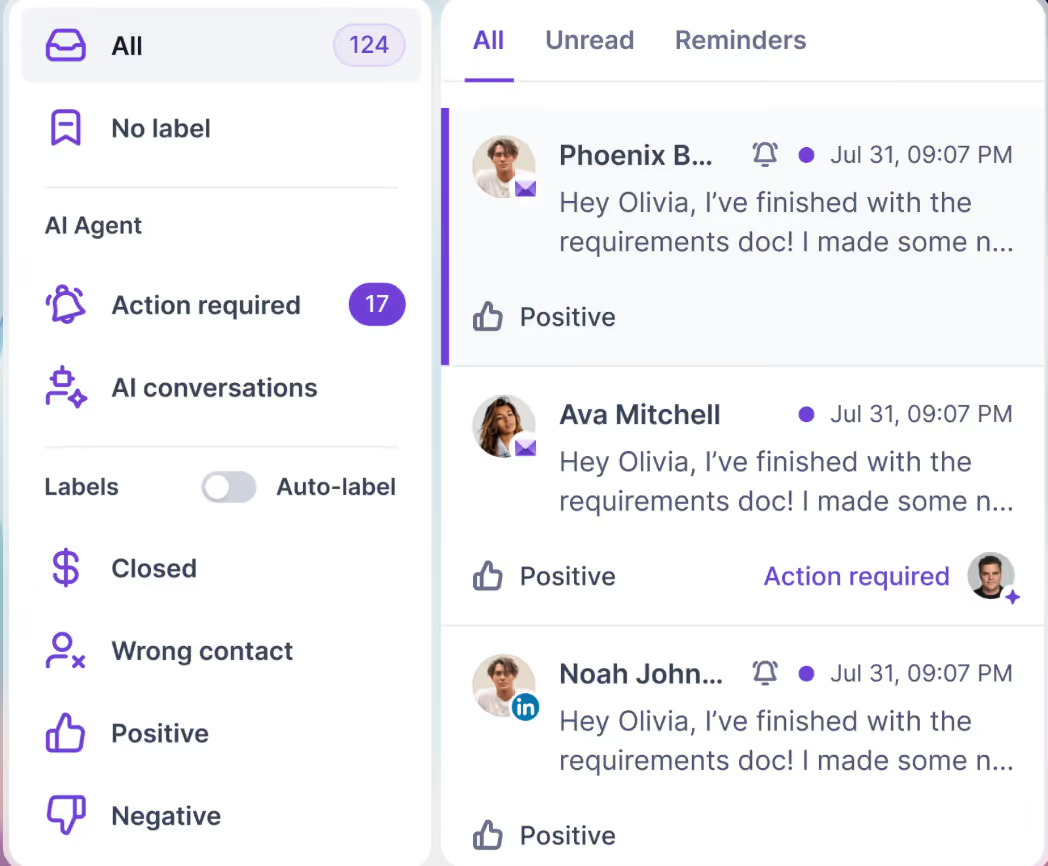
HeyReach includes a centralized inbox and unified inbox, consolidating all conversations across multiple accounts for easier tracking and management.
It also provides seamless CRM integrations with platforms like HubSpot and Pipedrive, streamlining data management and automation within your sales or marketing tech stack. You can import leads from various sources, including CSV files and LinkedIn tools like Sales Navigator, making lead generation campaigns more efficient for agencies and sales teams.
Who is it for?
Agencies that manage outreach for clients and need robust multi account management for multiple client accounts.
Sales teams that run daily LinkedIn campaigns and require efficient management of multiple LinkedIn profiles.
Growth operators who want to test LinkedIn as a channel.
Solo founders can use it too, but at $79 per month per account, it only makes sense if LinkedIn is your main growth play. HeyReach allows users to connect multiple LinkedIn accounts for a fixed monthly price, which is attractive for agencies managing numerous LinkedIn profiles. However, the potential cost of losing accounts due to policy violations is a significant risk.
Now let’s know about the pricing of HeyReach in detail.
How much does HeyReach cost?
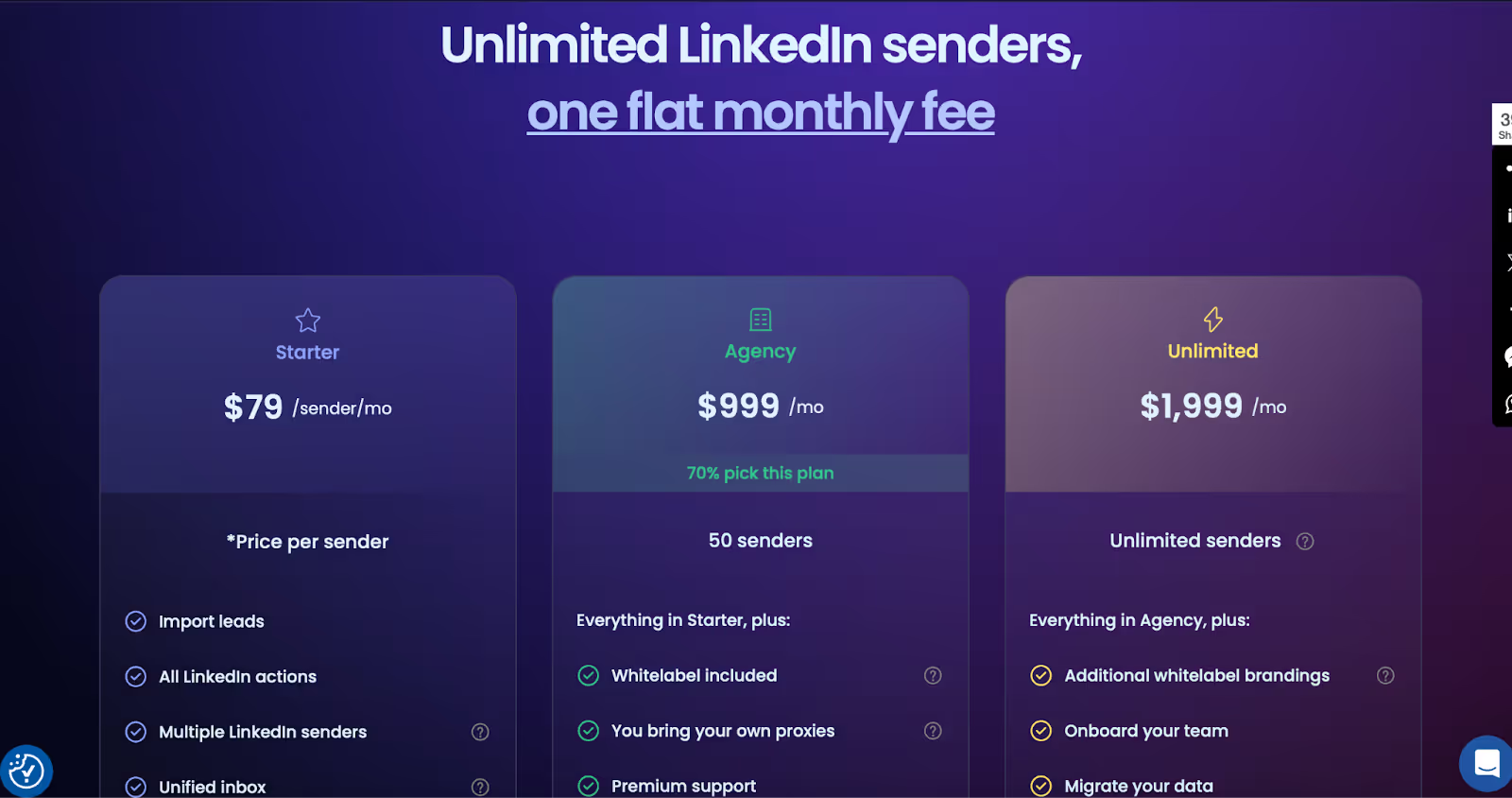
HeyReach Pricing
HeyReach has three pricing plans. Simple and flat.
Starter – $79 per sender/monthYou pay for each LinkedIn account you connect. Example: if your team runs 3 LinkedIn accounts, that’s 3 × $79 = $237/month. If you add 10+ accounts, the price drops to $59 per sender/month.
Agency plan – $999/monthThe agency plan is designed for agencies managing multiple client accounts. It allows you to connect and manage up to 50 LinkedIn accounts for a flat fee of $999/month. Example: if you’re an agency running outreach for 20 clients, each with 2 accounts, this plan makes sense. You also get white-label branding and premium support.
Unlimited – $1,999/monthAs the name says: unlimited accounts. Example: a large agency or sales team that needs 100+ accounts under one roof would save money here.
HeyReach G2 reviews
So, HeyReach makes sense when:
✅ Makes Sense If…
❌ Not Worth It If…
You’re running multiple LinkedIn accounts at the same time
You only use one LinkedIn account
You’re an agency that wants all client campaigns in one dashboard
You send just a small number of messages each week
You’re a sales team that needs volume without logging into 10 accounts manually
LinkedIn is not your main outreach channel
What 100+ Paid Users Said (The Good and The Bad)
When I started digging into real Heyreach reviews, I noticed the same patterns pop up again and again. People who actually paid for the tool shared both wins and frustrations. Let me break it down for you.
Many users appreciate the platform's automation features, but some have concerns about safety and compliance when running outreach campaigns. While HeyReach does have a customer success team that provides safety recommendations and support to help ensure account security during automated campaigns, several users report that customer support is often slow, with response times averaging 1-2 days. This delay can be frustrating, especially when immediate assistance is needed.
The Good Stuff Users Liked
Easy to set up – Most people said Heyreach doesn’t take hours to configure. You can connect your LinkedIn and start building workflows fairly quickly.
Simple workflows – The drag-and-drop style setup makes it easy to chain actions like viewing a profile, sending a connection request, and following up with a message.
Works well with LinkedIn Sales Navigator – A lot of users mentioned that the tool really shines if you already use Sales Navigator to filter and target your prospects.
Unified inbox and centralized inbox (Unibox) – Users appreciate the Unibox feature, which provides a unified and centralized inbox for managing and tracking conversations across multiple LinkedIn accounts, making communication management much easier.
Effective for cold outreach (if used carefully) – When users kept things personalized and didn’t overdo the automation, they did get replies and some decent results.
The Complaints You Can't Ignore
Risk of misuse – Some users admitted it’s very tempting to push Heyreach into “spam mode.” If HeyReach is utilized improperly as a spam tool—especially through mass follow tactics or sending too many connection requests—it can trigger LinkedIn’s detection systems. Exceeding LinkedIn limits, such as the weekly limit for connection requests, can result in account restrictions, particularly for accounts with multiple offenses. Even though using multiple accounts can help scale outreach and stay within platform limits, improper use still leads to restrictions.
Limits and throttling – Power users didn’t like hitting daily caps so quickly. Too many likes, profile views, or connection requests in one go and Heyreach slows you down. HeyReach has built-in safety measures that adhere to LinkedIn's daily action limits to protect account safety, but users still report that accounts exceeding these limits are flagged, restricted, or banned.
Learning curve – Beginners often said the tool isn’t as “plug-and-play” as it looks. You need a few days to figure out how not to waste your trial.
Aggressive outreach – A few people felt the messaging style was too pushy. As one review put it: “I wouldn’t want a tool like this sending messages from my profile.”
Account risk – The biggest worry was LinkedIn bans. If you push the limits or don’t warm up your account, you risk getting restricted or flagged.
Salesforge – Best HeyReach Alternative for LinkedIn Outreach Without Limits or Bugs
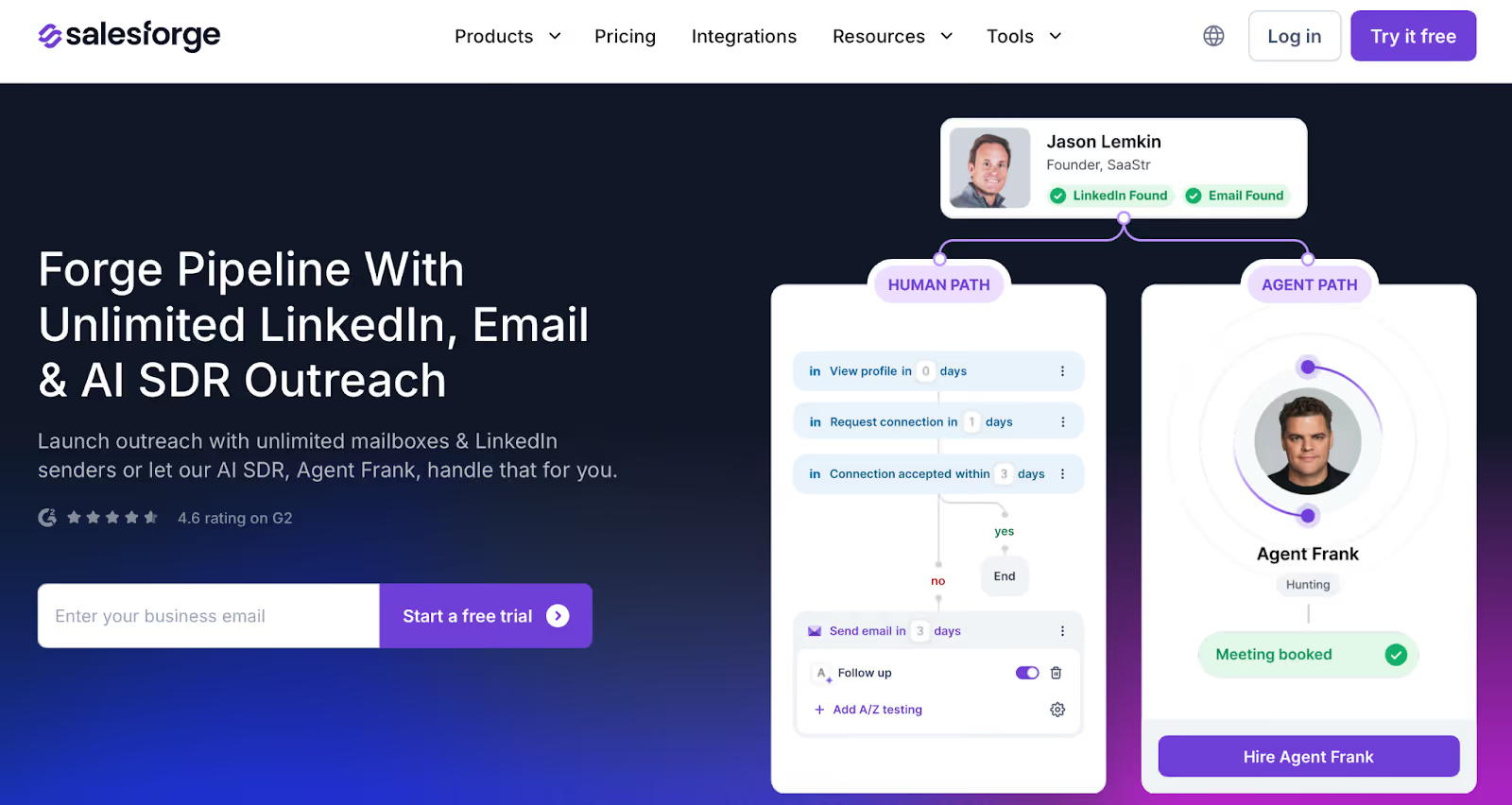
Salesforge Homepage
If you've used HeyReach and felt stuck, maybe campaigns freeze, support is slow, or things break mid-run, then try .
It's not just another LinkedIn outreach tool. It gives you unlimited LinkedIn sending, smarter automation, and even an AI assistant (Agent Frank) who can send messages and book meetings for you.
Why Is Salesforge a Better HeyReach Alternative?
Here's what you get with Salesforge that HeyReach doesn't:
Send from unlimited LinkedIn accounts
No extra cost per sender. Add your whole team. Great for agencies too.
Built-in AI SDR (Agent Frank)
Don't want to do the outreach yourself? Agent Frank handles it, finds leads, sends messages, follows up, books calls. All on autopilot.
Email + LinkedIn in one place
HeyReach only does LinkedIn. Salesforge lets you run multi-channel outreach, email and LinkedIn together, with conditional logic.
No bugs. No delays. Just smooth campaigns
Unlike HeyReach, nothing gets stuck. You click “start,” and your messages go out.
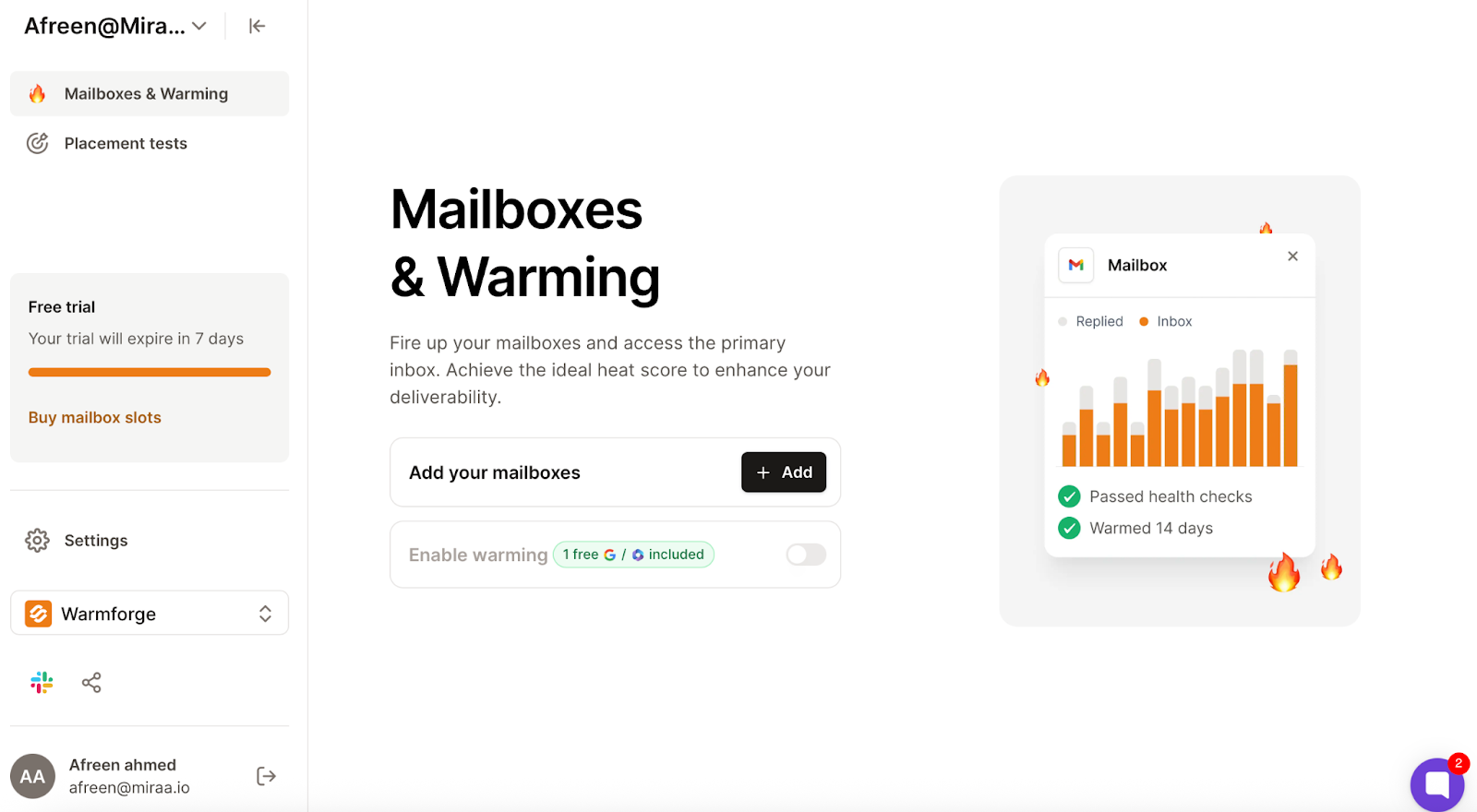
Free warm-up for all inboxes
Warmforge (included) keeps your LinkedIn and email accounts healthy. Your messages land in your inbox, not spam.
Warmforge Dashboard
Manage all replies in one inbox
Primebox™ shows replies from both email and LinkedIn, even if people reply from a different account.
Salesforge Primebox™ to manage all replies across LinkedIn and Email
Salesforge Pricing
Salesforge doesn’t charge per seat like HeyReach does.
Pro Plan – $40/month: Good for solo users
Growth Plan – $80/month: Unlimited LinkedIn senders + full features
Agent Frank – $416/month: AI handles everything for you ✅ Free trial included ✅ Get 100 free leads to start
HeyReach vs Salesforge – What’s the Difference?
Feature
HeyReach
Salesforge
LinkedIn Senders
Limited (price grows fast)
Unlimited (one flat price)
Campaign Stability
Often buggy or delayed
Stable and fast
Support
Takes 1–2 days to reply
Fast live chat
Warm-up
Basic
Premium warm-up (Warmforge)
Channels
LinkedIn only
LinkedIn + Email
AI SDR
❌
✅ Agent Frank (automated outreach)
Reply Management
Basic
Smart inbox with Primebox™
Who Should Use Salesforge?
Use Salesforge if:
You’re tired of HeyReach’s bugs or limits
You need to send LinkedIn messages from many accounts
You want faster results without doing everything manually
You’re running an agency or team and need full control
You want AI to help book more meetings
Salesforge is clean, smart, and helps you do real LinkedIn outreach at scale, no hacks, no stress.
HeyReach is one of the safer LinkedIn automation tools.
It works well if you run many accounts, manage outreach for clients, or mainly focus on LinkedIn as your channel.
But it does have limits. Users report action caps, mixed results, and some features still missing.
Also, HeyReach is a LinkedIn automation platform that focuses exclusively on automating various LinkedIn actions—like connection requests, messaging, and profile views—but does not support manual LinkedIn outreach, which some users may prefer for safety and compliance.
Since HeyReach does not offer email outreach, you’ll need additional tools to create comprehensive outreach sequences that include both LinkedIn and email.
The real question is: is LinkedIn enough for your outreach?
HeyReach is made for automated LinkedIn messaging. It’s simple, it handles multiple senders within a single campaign, and it keeps things safe if you follow the rules.
Salesforge goes wider. It covers LinkedIn and email together. It also adds email safety tools, mailbox rotation, and even an AI SDR called Agent Frank that can run outreach for you.
So, your choice depends on your plan:
If LinkedIn is all you need → HeyReach works.
If you want both LinkedIn and email in one system → Salesforge is the stronger option.
👉 Want to see how multi-channel and AI outreach can help? Try Salesforge.
Users say their accounts stay safe when they follow best practices like warming up, not sending too many requests, and keeping messages personal. But like any automation tool, there’s always some risk.
Does HeyReach improve email deliverability?
No. HeyReach is only for LinkedIn automation.
It does not manage email deliverability. If you want tools for inbox placement and email safety, you’ll need something like Salesforge.
What’s HeyReach pricing in 2025?
Starter: $79 per sender/month (drops to $59 if you use 10+ accounts).
Agency: $999/month for 50 accounts.
Unlimited: $1,999/month for unlimited accounts.
Who is HeyReach best suited for?
Agencies and sales teams that run multiple LinkedIn accounts.
It can also work for solo founders, but the price usually makes sense only if LinkedIn is a main growth channel.
Thinking about Freckle.io for CRM enrichment? Read this honest Freckle review covering features, pricing, pros, cons, and the best alternatives in 2026.



.jpg)

.jpg)

.jpg)


